
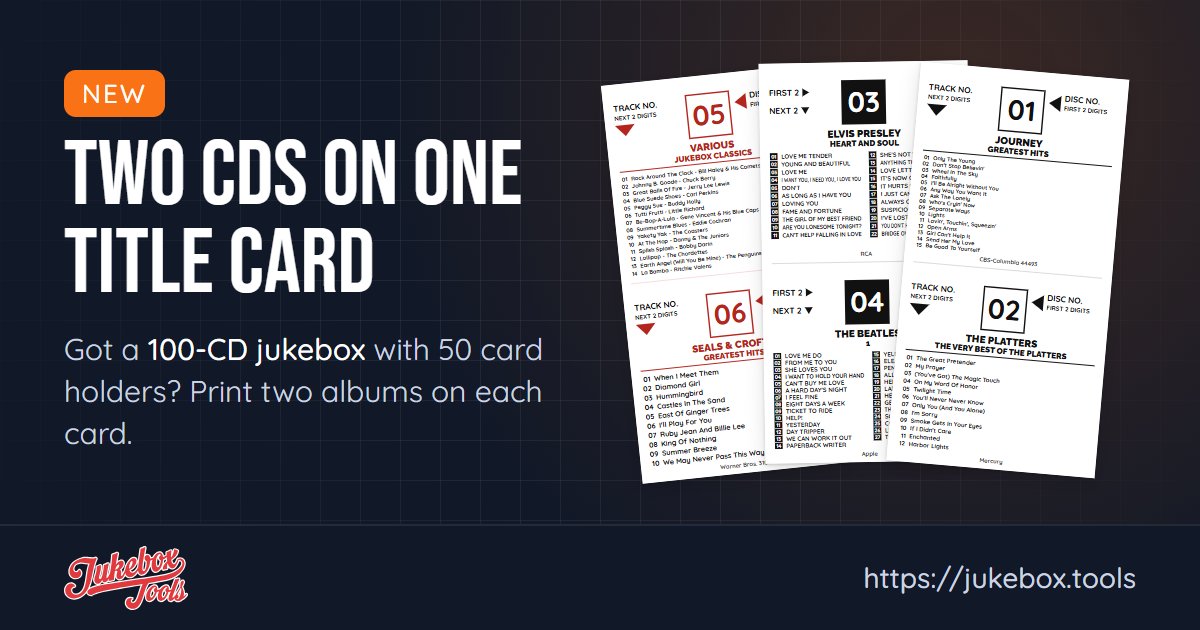
Some 100-CD jukeboxes, like the Rock-Ola CD-8, have 50 card spots for 100 discs: each title card holds two albums, with a disc number for each half. You can now print two-CD cards on any card size and style that fits them.
Turn on two-CD cards
- Open CD Title Cards.
- Pick Rock-Ola CD-8 (
2 15/16" × 5 5/8"), which turns on two-CD cards right away, or pick your own jukebox size or Custom Size. - Under 1. Design → Settings, set CDs per card to 2 CDs.
- On wider cards (
4"/100 mmor wider), pick Stacked or Side by side under Arrangement. Narrower cards stack the two albums top and bottom.
Each half gets its own disc number box (unless you turn Disc number box off), artist, album, tracklist and label line, in the fonts and colors you picked.
Print your set
Open your CD print set and your discs pair up in disc-number order: 01 and 02 on the first card, 03 and 04 on the next, and a blank second half if you have an odd number of CDs.
- Click either disc number box on a card to change its number and swap it with another CD.
- Click Renumber to drag your CDs into the order they sit in the jukebox.
- Click Printable PDF to download sheets with crop marks around each whole card.
Two-CD cards are included on every plan. The Free plan prints up to 50 cards per print set; Pro prints unlimited cards per set with Pro fonts and instant PDF downloads. Learn more on the CD title cards page.